CheckList download for android 8.0 (Oreo)
APK file Listas 1.8 compatible with Android 8.0How to install APK / APKS / OBB file on Android
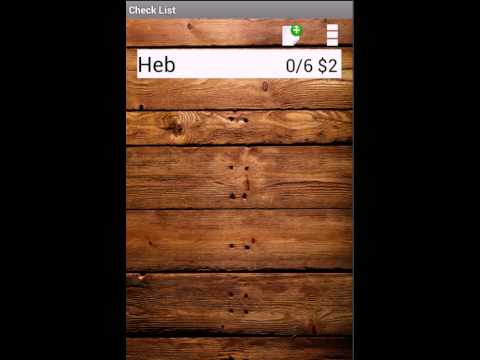

CheckList is an application to register one or more lists of what we have to do in daily or weekly, monthly, or just for a special event.
Like a sheet of paper marking products that were already stocked.
This applied usually is in grocery list, where a list is created with the name of the supermarket usually,
and list have the products normally buy.
The fisrt you need to create a list and then add the items to the shopping list normally purchase
The second time you go to the supermarket to buy you have to reset the status of the items and can add new items you have not added
This same list can be used to quickly check inventory of product in our house. and only select products
required to fill ..
You can also create a list for each name supermarket where you make your grocery shopping also can be used as shopping list and / or list of tasks to be performed where
usually has more than five activities that we can forget, because these activities are accrued daily activities.
Usually you can use as a check list to organize events such as graduations, first communions, Shopping List, Vacations, weddings, etc..
The items can be organized by categories, using a combo of selection that you can feed, clicking the combo and add
category, each item or product in the list can be edited and assign another category, you can assign price and quantity you want to fill.
Once the list has captured, you have the option to view the list of items that are selected or view items that are not selected or the default view both (Selected and not selected), if you have selected one of the first two options list will be reduced each time you select or deselect an item.
Features Operators List:
* At the title screen, the counter of the selected items and the total amount of the list is displayed ..
* You can edit the description of each item, category, price or quantity.
* You can view items by category.
* You can then restart the status of the list, to start again.
* When you add an item, the item is selected and the list is displayed in the position based on alphabetical order.
Functionality of the lists:
* You enter the list by clicking the name of the list.
* You can edit the name, making a long click on the list name
* You can restart the status list
* You can make a sublist of the list, so that the capture screen, showing only the items you have selected
* You can send the selected list to another device.
* You can select the entire list (no sublist).
* You can delete an entire list.
General functionality:
* You can make a backup of the database.
* You can restore the database.
* You can send or receive all playlist or just a special list to another device.
* You can start with an initial list.
* You can add new list, you can edit the names of the lists.
Communication Functionality another device:
* Requires that the devices are connected through the wireless network or internet.
* The communication is via tcpip protocol.
* The device receiving the information has to go to Tools-Receive list, and the display will show the ip address of the device, which must provide the person who will send the list.
* The device who will send the list has to go into Tools-Email List and the display will show an IP address, you must capture the IP address of the device who will receive the list and then press the Send button.
* After the communication both devices leave the screen and return to the main screen.
* The device who receives, displays the list received.
* If you can not communicate, you can configure the communication port, the default communication port is 6000, both devices must allocate
the same communication port values ??are the communication ports 0-65000 some are already used port such as 8080, etc..
This is a Tool can help you, manage list of tasks or shopping list, like a sheet of paper marking products that were already stocked, purchased,etc. But it can be re used,,
- LicenseFree
- File nameListas
- File Version1.8
- Package namecom.fmtzfacundo.checklist
- Size940 KB
- UploadedJuly 5, 2017
- Android2.3 or later
- CategoryProductivity
- DeveloperFrancisco Martinez Facundo
- Developer emaile-fmartinezf@hotmail.com
- md5 hash1b73cb50281fc872b307ed3782f29573
- Architecture-
- Permissionsshow (4)